10 Tips for Choosing Mobile Phone Holders

Mobile Phone Holders have become small but important tools in a phone-centered world. IDC reported approximately 1.23 billion smartphones shipped globally in 2024. Ericsson’s Mobility Report also counted about 6.9 billion smartphone subscriptions in 2023. Those numbers reveal a simple reality: people carry phones everywhere, but carrying is not the same as using them safely or comfortably.

A suitable holder should keep the screen visible without blocking buttons, cameras, or charging ports. It should also remain stable on a rough dashboard, a narrow desk, or a bicycle handlebar. Don Norman, a leading human-centered design expert, wrote, “Good design is actually a lot harder to notice than poor design.” His principle fits Mobile Phone Holders perfectly. The best model quietly holds the device, adjusts easily, and disappears from attention. That sounds simple. It is not always simple.

This guide, “10 Tips for Choosing Mobile Phone Holders,” considers grip strength, viewing angles, materials, installation, compatibility, and daily convenience. It also uses practical evidence from product specifications and independent testing guidance. Grand View Research reports continued growth across the global mobile accessories market, but its broad category does not measure every holder equally. That limitation matters. A popular product is not automatically a reliable one. I have also found that magnetic mounts can feel convenient, yet they may require a compatible case or plate. Sometimes the smallest detail, such as a loose joint or weak adhesive, decides the entire experience.
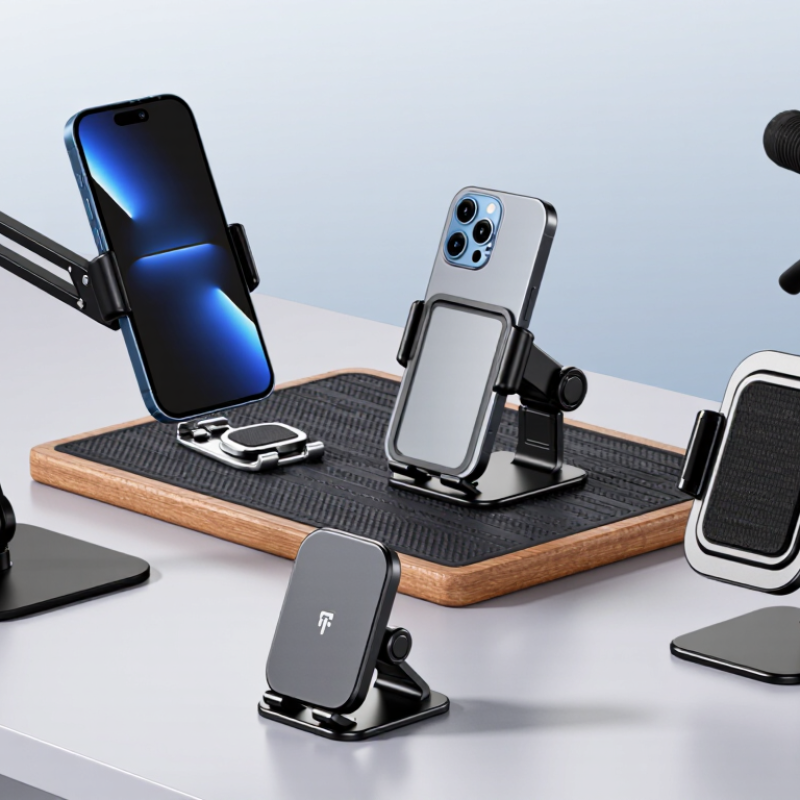
10 Tips for Choosing Mobile Phone Holders

Types of Mobile Phone Holders and Their Common Uses

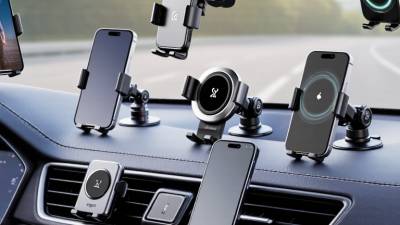
Choosing a mobile phone holder starts with where you use it. A dashboard mount suits navigation when it stays below your sightline. A windshield mount offers a wider viewing angle, but it must not block your view. Check local traffic rules before installing one. Do not block mirrors, controls, or airbags. Vent mounts are compact and easy to reposition. However, heavy phones may strain some vents. That small weakness matters.

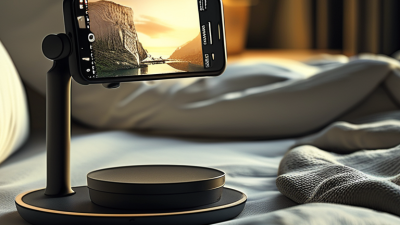
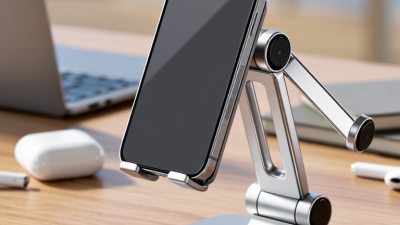
For desks, a weighted stand works well during video calls, reading, or charging. An adjustable holder helps you change height and viewing angle. Foldable models fit neatly into a work bag. At home, a bedside stand can keep the screen visible without holding it. Magnetic holders feel quick and tidy. They require a suitable phone case or attachment, though. Thick cases can weaken the connection. I have learned this after a phone slipped onto a wooden desk.

Bike and motorcycle holders need stronger grips and vibration control. Choose a locking mechanism for uneven roads. Water-resistant materials help during light rain, but they are not always waterproof. Measure your phone with its case attached. Fit matters more than appearance. Check whether the holder allows charging without bending the cable. Test the release button with one hand, but never adjust the phone while moving. I once chose a stylish mount with a weak clamp. It looked good, yet it failed the practical test.
Assessing Compatibility With Phones, Cases, and Vehicles

Choosing a mobile phone holder starts with compatibility, not appearance. Measure your phone’s height, width, and thickness before buying. Check these dimensions with the case installed. A slim case may fit easily, while a rugged case can add several millimeters. That difference matters. Test whether the holder’s side arms cover buttons, speakers, or the charging port. The grip should hold the phone firmly without squeezing its screen. Soft contact points also reduce scratches during daily movement.

Your vehicle creates another compatibility question. A vent mount needs strong, adjustable clips that match your vent design. Heavy phones may pull thin vents downward. Dashboard mounts require a flat, clean surface and enough space for the adhesive base. Windshield mounts should not block your view or interfere with essential controls. Check the holder’s rotation range, especially if you use navigation horizontally. Leave room for a charging cable. In my own fitting tests, a cable that bent sharply became annoying within days. I underestimated that detail.

Consider how the holder handles movement. Drive over a rough road and watch for shaking, slipping, or unwanted rotation. The phone should remain visible without constant adjustment. Magnetic systems require a compatible phone or case insert, while clamp systems need enough open space around the case. Some holders fit one phone perfectly but fail after a case change. That is easy to overlook. Read the adjustment range carefully, then compare it with your actual setup. If possible, test the holder in the parked vehicle before regular use. Small gaps often appear only after installation.

Comparing Mounting Methods, Materials, and Stability

10 Tips for Choosing Mobile Phone Holders

Comparing Mounting Methods, Materials, and Stability

A reliable phone holder starts with the mounting method. Choose a suction base for smooth glass or sealed dashboards. It can lose grip in dust, heat, or direct sunlight. Adhesive mounts suit flat surfaces, but removal may leave residue. Air-vent clips are convenient, although heavy phones can strain weak vents. Clamp mounts usually offer stronger support on desks and shelves.

Check the holder’s material before judging its appearance. Reinforced plastic keeps the weight low and resists small impacts. Aluminum feels solid and handles heat better, but it may add bulk. Soft silicone pads protect the phone from scratches. Avoid sharp edges and thin joints. They often reveal poor construction. I once selected a holder because it looked compact. The arm loosened after several adjustments, so appearance was not enough.

Stability depends on more than the base. Look for a wide clamp, firm hinges, and an adjustable viewing angle. Test the holder with your actual phone case attached. This detail matters. Shake the mounting surface gently and watch for sliding or vibration. Magnetic designs need proper alignment and compatible metal plates. Wireless charging may become unreliable if the phone sits off-center. Check the locking mechanism with one hand. A difficult release can distract you when parked. Finally, inspect the holder regularly for cracked pads, stretched clips, or loose screws. Small damage can become a sudden failure.

Checking Adjustability, Accessibility, and Safety Features

A mobile phone holder should move with your routine, not force your hands into one position. Check whether its arm tilts, rotates, and extends smoothly. Adjustable joints help you set the screen near eye level, reducing neck strain during desk work or navigation. The base should remain stable after adjustment. Loose movement becomes irritating quickly.

Accessibility depends on small details. Can you insert the phone with one hand? Can you reach the charging port, side buttons, and fingerprint area? A wide, spring-loaded cradle may fit different phone sizes, but excessive pressure can damage delicate cases. Look for clear viewing angles and controls that remain easy to operate.

I once chose a holder with excellent rotation but ignored its narrow grip. My phone slipped whenever I used a thicker case.

Safety features deserve careful testing. A locking mechanism should click firmly and release without sudden movement. Soft contact points can reduce scratches and keep the phone from sliding. For vehicle use, never place the holder where it blocks your view, essential controls, or safety equipment. Keep cables away from pedals and moving parts.

Check the mounting surface before every trip. It may sound excessive. It is not. A holder that passes a desk test can still loosen under vibration, heat, or repeated adjustment. I would also inspect worn hinges instead of assuming they are harmless.

Selecting the Best Holder for Your Budget and Daily Routine

Choosing a mobile phone holder starts with your daily routine, not the cheapest shelf option. Pew Research Center reported that 90% of U.S. adults owned a smartphone in 2023. That makes stable phone placement useful at desks, bedside tables, and in vehicles.

Tip 1: Match the holder to your main location.

Tip 2: Check your phone’s width and case thickness.

Tip 3: Prefer adjustable viewing angles.

A screen that sits too low can strain your neck.

Budget matters, but weak hinges become expensive when they loosen quickly.

Tip 4: Inspect the joint design and base weight.

Tip 5: Choose soft contact surfaces to reduce scratches.

Tip 6: Test one-handed access before buying.

Tip 7: Consider cable clearance.

A blocked charging port defeats convenience. The Consumer Technology Association’s 2024 U.S. Consumer Technology Ownership and Usage Study shows smartphones remain among the most widely owned connected devices, so daily durability deserves attention.

For driving, follow local road-safety rules and keep the holder away from essential controls.

Tip 8: Use a secure mounting method.

Tip 9: Avoid holders that hide navigation information.

Tip 10: Recheck stability after installation.

Small vibrations expose poor designs. I once preferred a flexible arm, but it shook during sharper turns. That choice looked practical, yet it was not.

GSMA’s Mobile Economy 2024 report estimated 4.6 billion people used mobile internet worldwide in 2023. A holder should support repeated use, not only look neat in product photos.