5 Tips for Choosing the Best Mobile Holder for Desk?
A mobile phone can make a desk more useful, but the wrong stand creates daily irritation. A weak base may wobble during video calls. A poor viewing angle can also strain your neck after several hours. Choosing the right Mobile Holder For Desk requires more than matching colors or checking the lowest price.
Workspace ergonomics consultant James Chen explains, “A good desk holder should disappear into your routine while keeping the screen stable, visible, and easy to reach.” His observation reflects practical testing. A reliable holder should support your phone securely, leave space for charging cables, and fit your desk without blocking essential work areas. Small details matter. A rubber grip can prevent sliding. An adjustable arm can improve eye-level viewing. A wide clamp may suit thick desktops, while a weighted base works better on open surfaces.
This guide explores five practical tips for choosing the best Mobile Holder For Desk. It considers stability, adjustability, compatibility, materials, and everyday convenience. You will also see why a holder that looks attractive may still perform poorly beside a keyboard. Some choices are not obvious. A metal frame can feel durable but may scratch a polished desk. A compact stand saves space, yet it might offer limited angle adjustment. I have found that “universal” products are not always universal. Before buying, measure your phone, case, desk thickness, and available workspace. These simple checks can prevent an annoying return. More importantly, they help create a setup that feels natural, not forced.
Understanding What a Desk Mobile Holder Does
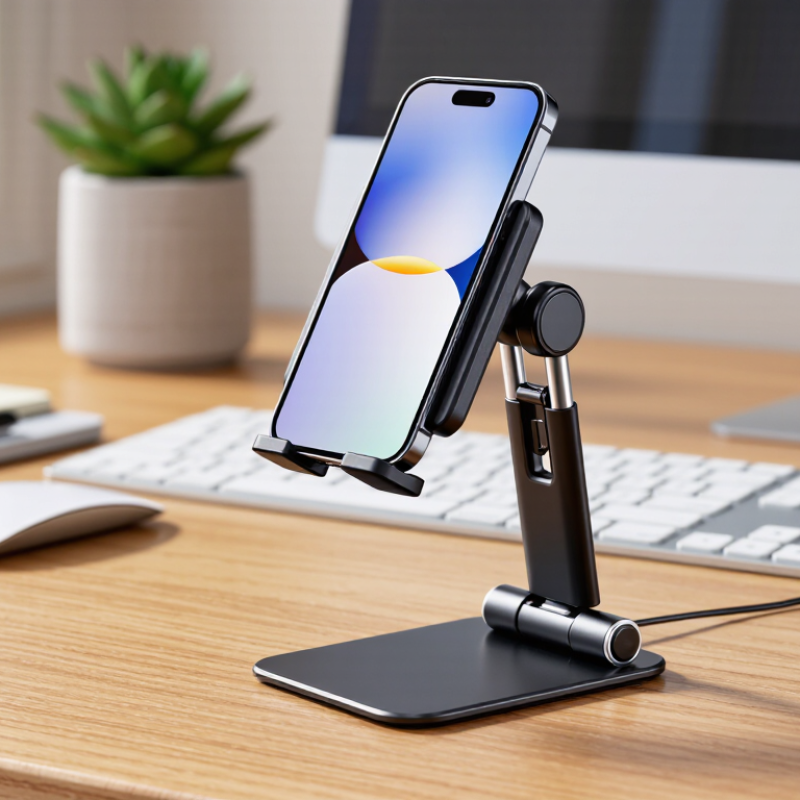
A desk mobile holder keeps your phone visible, stable, and within easy reach. It supports hands-free video calls, reading, timers, and quick note-taking. Its real purpose is practical: it places the screen closer to eye level and reduces repeated neck bending. During daily use, I noticed that a steady holder also prevents small desk movements from interrupting a call. A weak hinge, however, can slowly drop the screen.
Look for a wide, non-slip base before choosing a model. A narrow base may wobble when you tap the display. Adjustable height and viewing angles matter too, especially when your chair, desk, or lighting changes. The holder should leave space for a charging cable. Check the opening carefully if your phone has a thick protective case. Small details matter.
Material affects long-term reliability. Metal usually feels stable, while strong plastic can be lighter and easier to move. Test the hinge gently. It should adjust smoothly without feeling loose. I once chose a compact holder that looked convenient, but its base slid across a polished desk. That was my mistake. A textured pad fixed part of the problem, though not perfectly. Also consider your daily posture, not only appearance. The best position may look slightly unusual, but your shoulders should remain relaxed and your screen should not sit too low. A holder helps with organization; it cannot correct every poor sitting habit.
Identifying Your Device and Desk Compatibility Needs
Identifying Your Device and Desk Compatibility Needs
A desk holder should fit both your device and the space where you work. Measure your phone or tablet, including its case. A thick case can make a narrow cradle unstable. Check the holder’s stated width range, and look for padded contact points that protect the device from scratches. Small details matter.
Tip: Match the holder to your device’s weight, not just its size. A large tablet may need a wider base and stronger support. Test whether the viewing angle stays put when you tap the screen. If it wobbles, you may find it frustrating during video calls or note-taking.
Your desk matters, too. Measure the available surface and note nearby items, such as a keyboard, lamp, or monitor stand. A clamp needs a suitable edge and enough clearance underneath; a freestanding base needs room without blocking your workspace. Consider where charging cables will run. Some holders promise flexibility, but joints can loosen over time. Check the adjustment points and return options before buying. Perfect fit is rare. A little trial and error may be needed.
Comparing Holder Types, Materials, and Adjustability
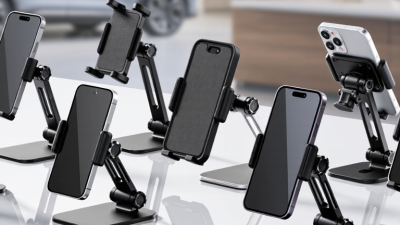
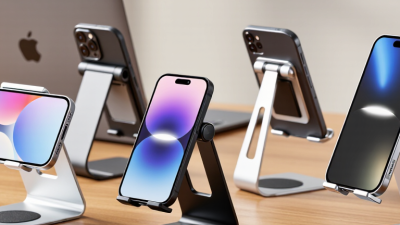
IDC’s Worldwide Quarterly Mobile Phone Tracker reported 1.24 billion smartphone shipments in 2024, up 6.4% from 2023. That scale makes a stable desk holder more than a minor convenience. A weighted cradle suits quick viewing and easy removal. Clamp-mounted arms free desk space, but may wobble on thin edges. Folding stands pack away neatly. They can feel less steady during tapping.
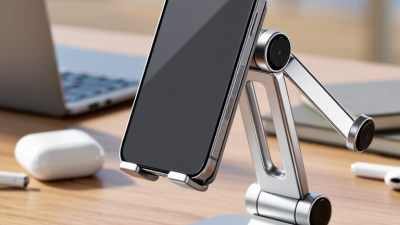
Materials affect daily use. Plastic is light and often affordable, but hinges may loosen. Aluminum feels rigid and resists flex, though it can slide without rubber feet. Silicone grips well, yet dust collects around its edges. No material wins every time. Check the contact points, not just the finish.
Tip: Test tilt, height, and rotation with your own phone and case. A joint that holds its angle matters more than many adjustment settings. Keep the screen high enough to reduce repeated downward glances, while leaving the charging port accessible. Magnetic holders are convenient, but only if your phone or case supports a secure connection. A small flaw remains: tall arms can shake when you tap the screen. Try that movement before buying. IDC’s shipment data indicates the scale of phone use, but it does not measure holder quality.
5 Tips for Choosing the Best Mobile Holder for Desk? - Comparing Holder Types, Materials, and Adjustability
| Tip |
Holder Type |
Common Materials |
Adjustability |
Desk Fit and Stability |
Best For |
| 1. Match the holder to your desk space |
Weighted-base stand |
Plastic or aluminum body, often with a rubber or silicone base |
Usually offers tilt adjustment; some models also change height |
Needs clear surface area; a heavier base generally resists movement better |
Fixed workstations and video calls |
| 2. Check your desk edge before choosing a clamp |
Clamp-on arm or holder |
Commonly aluminum or steel with padded contact surfaces |
Often adjustable for reach, height, and viewing angle |
Saves desktop space; check desk thickness, edge shape, and clamp clearance |
Small desks and setups needing flexible positioning |
| 3. Choose materials for durability and grip |
Foldable travel stand |
Plastic or aluminum, often with silicone or rubber pads |
Usually has a few set angle positions; height adjustment is less common |
Compact and portable; lighter designs may shift more during tapping |
Shared desks, travel, and occasional use |
| 4. Prioritize reach and positioning when needed |
Flexible gooseneck holder |
Metal flexible neck with plastic or metal fittings and a padded grip |
Neck bends to reposition the phone; frequent movement can require retightening |
Often uses a desk clamp; a long arm may wobble when the screen is touched |
Hands-free viewing or positioning beside a monitor |
| 5. Verify phone compatibility and viewing angle |
Magnetic mount or adjustable cradle |
Plastic or aluminum mount; magnetic models use magnets and may need a compatible phone or case |
Varies by model; many offer tilt or swivel, while some have a fixed position |
Check that the holder supports your phone’s size and weight; magnetic attachment depends on compatibility |
Quick placement, navigation, or frequent screen checks |
Selection note: Confirm the holder’s supported phone size and weight, the available adjustment range, and any desk or case compatibility requirements before buying.
Evaluating Stability, Viewing Angles, and Everyday Usability
A desk phone holder should stay steady when you tap a message or swipe through a recipe. Check the base. A broad, weighted base or a firm clamp can reduce wobble, especially on a smooth tabletop. Test it with your phone installed, not just empty; a heavier device may shift the balance. If the stand slides during ordinary use, its polished finish is not much help.
Viewing angle matters during calls, reading, and video. Choose a holder that tilts enough to bring the screen near eye level without blocking your keyboard. Try it seated, then adjust the angle while looking at the screen. Reflections from a nearby window can make an otherwise comfortable position hard to use. A height-adjustable model may help, though extra joints can sometimes feel loose.
Everyday usability comes down to small details. Make sure the holder leaves room for a charging cable and lets you place or remove the phone with one hand. Check that its support does not press awkwardly on side buttons. A compact design saves desk space, but may be less stable with a large phone. There is no perfect fit for every setup; test the angle and reach at your own desk before deciding.
5 Tips for Choosing the Best Mobile Holder for Desk
Suggested priority scores for comparing stability, viewing angles, and everyday usability.
Scores are a practical comparison guide, not laboratory measurements. Prioritize a secure base and easy angle adjustment, then consider viewing range, desk space, and portability.
Choosing a Holder That Fits Your Budget and Workspace
A desk phone holder should solve a daily problem without taking over your budget. Set a spending limit before browsing. Then compare the features you will actually use, such as adjustable height, a stable base, or a charging opening. A higher price does not always mean better value. A simple holder may work well if you mainly check messages between tasks.
Measure your workspace, too. Leave room for a keyboard, notebook, and coffee mug. A wide base can feel reassuring, but it may crowd a narrow desk. Check the holder’s height and angle range against your usual sitting position. Your screen should be easy to glance at without making you crane your neck. Small detail. Easy to overlook.
Think about your phone case and how often you move the holder. A clamp can save desk space, but it needs a suitable edge and may not fit every desk. A folding stand is easier to store, though some models wobble when tapped. Read recent user feedback for comments on stability and build quality, not just appearance. I would still treat reviews cautiously; people use different desks and phones. If possible, test the holder with your own device before buying.