Top Charging Docks for Global Buyers Which Type Is Best?

Choosing the right Charging Docks can simplify work, travel, and shared-device management. Yet global buyers face a crowded market. Desktop hubs, wireless stands, multi-device stations, and modular docks all serve different needs. The best type depends on device compatibility, charging speed, workspace limits, and regional requirements.

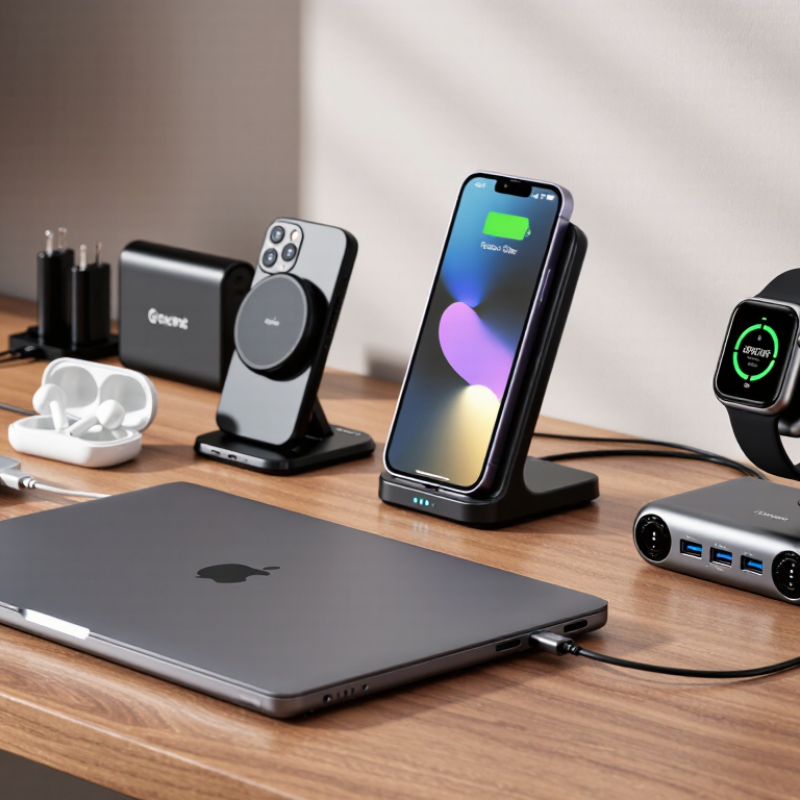
A reliable comparison should begin with real use. Imagine a hotel desk with a phone, smartwatch, earbuds, and laptop waiting overnight. A compact wireless dock may reduce cable clutter, but it can charge more slowly and create extra heat. A USB-C dock may deliver stronger power and connect displays, storage, or keyboards. However, it needs suitable cables and enough wall-adapter capacity. These details matter more than attractive product images.

Safety and consistency also deserve careful attention. Buyers should examine power-delivery standards, thermal control, surge protection, build quality, and recognized regional certifications. Plug compatibility matters when products move between Europe, North America, Asia, and other markets. Business purchasers may also need warranty coverage, replacement parts, and dependable after-sales support. Small details often become expensive problems.

No single dock wins everywhere. Not even close. Testing methods can also overlook long-term wear, loose ports, or wireless charging alignment. This guide compares major Charging Docks by performance, flexibility, portability, and ownership value. It aims to support informed decisions, while recognizing that convenience, budget, and local availability can change the final answer.
Top Charging Docks for Global Buyers Which Type Is Best?

Charging Dock Basics and Their Role in Modern Device Use

A charging dock is more than a place to rest a phone or tablet. It combines power delivery, cable management, and device positioning in one compact station. A well-designed dock keeps cables hidden and leaves the screen visible during charging. It can reduce desk clutter beside a laptop, bedside lamp, or kitchen counter.

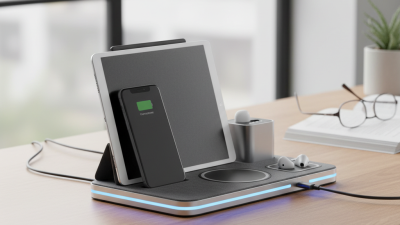
The most suitable type depends on device habits. A single-device dock works well for a phone used mainly at night. A multi-device dock suits households with phones, watches, earbuds, or tablets. Wireless docks offer convenience, but thick cases and poor alignment can slow charging. Wired docks usually provide steadier power and broader compatibility. Check connector standards, output ratings, and heat control before buying. A high wattage figure does not guarantee faster charging for every device.

For global buyers, input voltage support and plug compatibility deserve careful attention. Reliable products should list electrical specifications clearly and include recognized safety protections, such as overcurrent and temperature control. From practical testing, dock stability matters more than glossy materials. A loose base can slide when one-handed users lift a device. I have also found that tightly spaced ports become frustrating when several cables are connected. Small details matter.

No dock is perfect. Wireless charging may waste more energy than a direct cable connection. A compact model may save space but limit future devices. Buyers should compare daily routines, desk space, device sizes, and replacement costs. The best choice is the dock that remains safe, stable, and useful after the first week.
Top Charging Docks for Global Buyers: Which Type Is Best?

Maximum power levels associated with widely used charging standards

Higher wattage can shorten charging time for compatible devices, but actual performance depends on the device, cable, charger, thermal conditions, and power-sharing design. USB Power Delivery 3.1 EPR supports up to 240 W, while Qi2 wireless charging is specified at up to 15 W for the standard magnetic profile.

Reference basis: USB-IF USB Power Delivery specifications and Wireless Power Consortium Qi/Qi2 specifications.

Main Types of Charging Docks for Different Devices

Top Charging Docks for Global Buyers: Which Type Is Best?

Main Types of Charging Docks for Different Devices

A single-device dock fits one product precisely. It usually offers stable alignment, faster charging, and cleaner desk management. This type suits offices with fixed equipment, such as phones, tablets, or handheld scanners. Multi-device docks serve mixed teams. They can charge phones, watches, earbuds, and tablets together. However, shared ports may reduce charging speed when every slot is occupied.

The International Energy Agency reported nearly 14 million electric cars sold globally in 2023, with more than four million public charging points available. This growth shows a clear lesson: charging infrastructure must match usage patterns, not just connector numbers.

Universal docks support interchangeable cables and changing device fleets. They are useful for global buyers managing different regions. Modular docks are even more flexible. Their cable modules can be replaced without discarding the whole unit.

For laptops, choose a dock with suitable power delivery, video support, and thermal control. For electric vehicles, wall-mounted or floor-standing docks need load management and weather protection. Bigger is not always better.

Tips: Check power output, connector compatibility, heat control, warranty terms, and regional certification before purchase. The USB Implementers Forum advises buyers to verify certified cable and charger capabilities, because similar-looking connectors can support different power levels. Ask for independent safety test reports. Do not trust attractive specifications alone. I have found that cable wear is often ignored during procurement. That mistake becomes expensive later. Fancy lights rarely improve charging. Reliability does.

Key Features to Compare Before Choosing a Charging Dock

Top Charging Docks for Global Buyers: Which Type Is Best?

A charging dock should match the devices people use every day. Check the number of ports, total power output, and charging protocol compatibility. A dock may have six ports but still charge several devices slowly. Look for clear power ratings, not attractive port counts. USB-C ports usually offer greater flexibility for phones, tablets, and laptops. However, shared power can reduce charging speed when every port is occupied.

Heat management deserves close attention. Choose a dock with ventilation, temperature control, overcurrent protection, and short-circuit protection. A metal body may feel stronger, but it can become warm during extended use. I once focused too much on compact size and underestimated airflow. That mistake made the dock uncomfortable to touch after hours of charging. Safety documentation and independent testing reports provide more confidence than vague marketing claims.

Global buyers should also inspect input voltage, plug options, cable length, and regional compliance information. A replaceable cable can simplify maintenance and reduce future waste. Check whether the dock stays stable on a crowded desk, especially when thick cables pull sideways. Warranty terms, spare parts, and responsive technical support reveal how seriously the supplier treats reliability. User reviews help, but they can be inconsistent. Test samples under real conditions when possible: mixed devices, full ports, overnight charging, and repeated plugging. No dock is perfect. The best choice depends on actual workload, space, and maintenance expectations.

Charging Standards, Compatibility, and Global Power Requirements

Top Charging Docks for Global Buyers Which Type Is Best?

A charging dock should match device standards before appearance or port count. USB-C Power Delivery can negotiate voltage and current safely between compatible devices. Older USB-A outputs may charge slowly, even when the dock looks powerful. Wireless charging adds convenience, but alignment, phone cases, and heat can reduce performance. Qi-certified products generally provide clearer compatibility expectations, though real results still vary by device design.

Global buyers must check input ratings carefully. A dock marked 100–240V and 50/60Hz suits many regions, but the wall plug may still require an approved adapter. Output power also matters. A laptop may need 65W, while earbuds need only a few watts. Shared docks can divide power when several devices charge together. That detail is often missed.

Cable quality matters too. Some USB-C cables support high power or fast data, while others do not. Look for clearly stated wattage, protection features, and independent test evidence. Check connector shape, regional plug type, and operating temperature before ordering. Small details matter.

In practical evaluation, I would test the dock with the buyer’s actual devices, not only the product sheet. Measure charging speed, surface heat, and power stability over several hours. One assumption can fail. A compact dock may be excellent for travel but frustrating on a crowded desk. Compatibility should be verified before bulk purchasing.

How to Select the Best Charging Dock for Your Market

Selecting the best charging dock for your market starts with user habits, not appearance. IDC reported 1.24 billion smartphones shipped globally in 2024, a 6.2% annual increase. That scale creates demand for compact, reliable multi-device charging. A desktop dock suits offices and homes with several devices. A travel dock works better for mobile users and smaller retail packages. For electric vehicles, the choice changes completely. The IEA reported global electric car sales exceeded 17 million in 2024, increasing demand for higher-power charging equipment.

Check local conditions carefully. Confirm plug types, input voltage, cable length, and supported charging protocols. USB-C power delivery can improve compatibility, but advertised wattage may not reach every port simultaneously. Thermal performance matters too. A metal housing may feel premium, yet poor airflow can reduce charging speed. Practical testing should include a full-port load, overnight heat checks, and repeated cable insertion. One overlooked detail can create returns.

Tips: Compare at least three local devices before choosing port layouts. Test with thick cases and older cables. Review independent safety and efficiency reports, not only supplier claims. Leave space for regional adapters and replacement parts. A lower purchase price can become expensive when accessories fail. I would also question oversized docks; they often waste desk space without serving real needs.

Top Charging Docks for Global Buyers Which Type Is Best? - How to Select the Best Charging Dock for Your Market

Charging Dock Type Typical Power and Ports Devices Supported Best Market Applications Main Advantages Key Limitations Recommended Buyer Profile
Multi-Port USB-C Desktop Dock Usually 65–240 W total input capability; commonly includes USB-C Power Delivery ports plus USB-A ports. Individual USB-C outputs are often 20–100 W, depending on the model. Smartphones, tablets, laptops, handheld devices, cameras and other USB-powered equipment. Offices, hotels, co-working spaces, retail counters and home workstations. Broad compatibility, fast wired charging, high charging efficiency and easy replacement of cables. Requires cables; shared power must be managed when several devices charge simultaneously. Global buyers needing one versatile solution for mixed device fleets.
Wireless Charging Dock Typically 5–15 W for compatible wireless devices; some models combine a wireless charging surface with one or more wired USB ports. Qi-compatible smartphones, earbuds, smartwatches and selected accessories. Hospitality, bedrooms, reception desks, premium offices and consumer retail. Cable-free user experience, clean appearance and convenient short-term charging. Generally slower than wired charging; alignment, thick cases and heat can affect performance. Buyers prioritizing design, convenience and guest experience over maximum output.
Multi-Device Family Charging Station Commonly 4–10 charging positions with a mixture of USB-C and USB-A outputs; total power is often 60–200 W. Several smartphones, tablets, earbuds, cameras and small personal electronics at the same time. Households, classrooms, shared offices, events and service counters. Organizes multiple devices, reduces cable clutter and simplifies shared charging. Usually less suitable for high-power laptops; device spacing and cable access require careful design. Buyers serving families, schools or small teams with many low- and medium-power devices.
Laptop and Tablet Charging Cart Usually stores and charges approximately 10–40 devices using AC outlets, USB-C charging modules or a combination of both. School laptops, tablets, detachable computers and other managed education devices. Schools, training centers, libraries, examination rooms and mobile work groups. Secure storage, centralized charging, device organization and easier fleet management. Large footprint, higher purchase cost and possible heat or cable-management issues. Institutional buyers managing a medium or large number of portable computers.
Lockable Charging Cabinet Often configured for approximately 10–40 devices; may include AC outlets, USB-C charging or both, subject to local electrical requirements. Tablets, handheld terminals, radios, laptops and other equipment requiring controlled access. Warehouses, hospitals, logistics operations, public institutions and secure workplaces. Improves security, asset control and charging accountability in shared environments. Less portable, requires installation space and may need ventilation and access-control planning. Commercial and institutional buyers where theft prevention and controlled access are priorities.
Rugged Industrial Charging Dock Usually 20–100 W per wired port, with reinforced connectors, mounting options and protection against over-current, over-voltage and overheating. Barcode scanners, handheld computers, industrial tablets, radios and field-service equipment. Warehouses, factories, transport operations, healthcare and outdoor service environments. Durability, secure mounting, repeatable charging and suitability for demanding workplaces. Higher cost, fewer universal design features and potentially more difficult installation. Buyers valuing uptime, physical durability and long-term operational reliability.
Modular or Custom-Built Charging Dock Power and port count are configurable; common designs combine USB-C PD, USB-A, wireless charging and device-specific holders. Mixed device fleets, specialized handheld equipment and market-specific product configurations. Retail programs, hospitality projects, healthcare deployments and customized commercial installations. Flexible layout, easier localization and better adaptation to different device sizes and workflows. Longer development cycle, tooling requirements and more complex quality-control management. Importers and project buyers with clear volume, customization or localization requirements.
Selection Criteria for Global Buyers: Confirm local plug and voltage requirements, USB-C Power Delivery profiles, total simultaneous output, device compatibility, thermal protection, electrical safety certification, cable availability, warranty terms, replacement parts and after-sales support before placing an order.