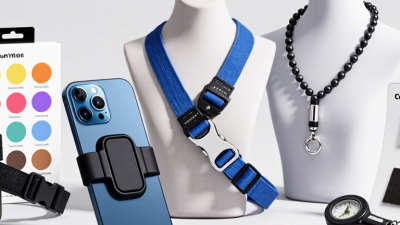
Choosing the 2026 best Strap Holder For Phone depends on how you carry and use your device. A slim adhesive loop can improve grip during one-handed scrolling. A wrist strap adds security while taking photos. A crossbody holder keeps your phone close when your hands are full. No single style suits everyone.
Design researcher Don Norman offers a useful principle: “Good design is actually a lot harder to notice than poor design.” This is a general design insight, not a statement about phone straps specifically. Applied here, it means a good holder should feel comfortable, stay secure, and avoid getting in the way. Small details matter.
Before choosing, check whether the holder fits your case and allows wireless charging. Look closely at the anchor point, stitching, adhesive area, and any weight limits listed by the maker. If you often remove your case, a case-independent strap may be more convenient. If you want the phone ready for quick photos, a wrist strap could be the better fit. Test the setup gently over a soft surface before trusting it with your device. Even a well-reviewed holder may feel awkward with your case or grip. That part is easy to overlook. The sections below compare common types, their practical trade-offs, and the users each one may serve best.
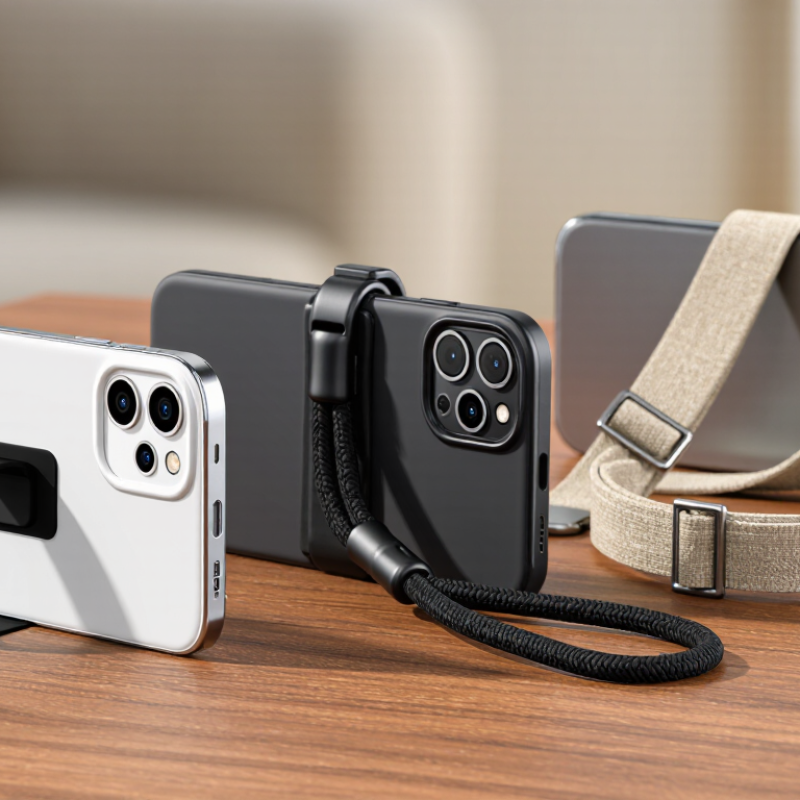
A phone strap holder is a small connector that lets a wrist or neck strap attach to a phone or its case. It helps keep the device close when your hands are busy, such as while carrying groceries or taking a photo outdoors. The holder may be a slim fabric tab, a built-in case loop, or an adhesive attachment. Small parts, but they change how the phone feels in your hand.
Many tab-style holders sit inside the phone case. A narrow section rests between the phone and case, while a small loop passes through the charging-port opening. The strap clips onto that loop. Other designs attach directly to a case eyelet or use adhesive on the case exterior. Check that the tab does not block the charging cable, and confirm the case closes flat. A tight fit matters.
The setup sounds simpler than it feels. A loose case can let the anchor shift, and a bulky tab may interfere with some wireless chargers. I would test the connection gently over a soft surface before relying on it outdoors. A wrist strap is handy for short walks; a longer neck strap keeps the phone accessible when both hands are occupied. No holder makes a phone unbreakable, and the attachment itself needs occasional inspection.
A phone strap holder is an attachment point or insert that connects a phone or phone case to a wrist strap, hand strap, or neck lanyard. The strap helps keep the phone within reach and can reduce the chance of dropping it. Most holders work by anchoring a loop or tab to the case, then fastening the strap to that anchor.
| Holder type | How it works | Typical advantages | Things to check | Best suited for |
|---|---|---|---|---|
| Case-through insert tab | A thin tab sits inside a compatible case, with a small loop extending through the charging-port opening for the strap to clip onto. | Works with many cases that do not have built-in strap loops; usually removable without adhesive. | The case must fit securely, and the tab must not obstruct the charging port, speaker, or cable connection. | Everyday use when you want to add a strap to an existing case. |
| Built-in case anchor | A loop, eyelet, or attachment point is molded or incorporated into the phone case, and the strap connects directly to it. | No loose insert tab; the attachment point is designed as part of the case. | Check that the case fits the exact phone model and that the anchor is securely constructed. | People who want a simple, integrated setup. |
| Case eyelet or lanyard holes | A cord or strap threads through reinforced holes on the case and is secured with a knot, loop, or clasp. | Direct attachment with few extra parts; can support different strap styles. | Confirm that the holes are reinforced and positioned so the strap does not interfere with buttons or ports. | Cases designed with dedicated lanyard attachment points. |
| Adhesive strap patch | An adhesive-backed anchor attaches to the back of a phone or case, creating a loop or connector for a strap. | Does not need a charging-port insert or a case with built-in loops. | Adhesion depends on a clean, smooth surface and correct installation; removal may leave residue or affect some finishes. | Phones or cases without strap holes, when the surface is suitable for adhesive. |
| Wrist strap | A short loop attaches to the holder and fits around the wrist, keeping the phone tethered while it is being held. | Compact and convenient; helps keep the phone close at hand. | Choose a comfortable loop and a secure connector; a strap is not a substitute for a protective case. | Short trips, events, and one-handed phone use. |
| Neck or crossbody lanyard | A longer strap connects to one or two anchor points so the phone can hang around the neck or across the body. | Keeps the phone accessible while leaving hands free; adjustable designs can change how the phone sits. | Check adjustability, connector security, and whether the strap may catch on surrounding objects during activity. | Travel, commuting, and situations where hands-free access is useful. |