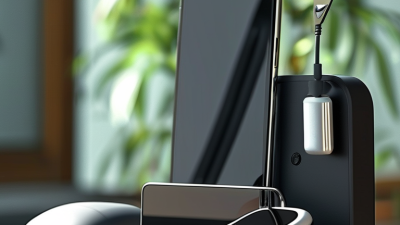
Choosing the right charging stand can change how smoothly your devices fit into daily life. A dependable Charging Stand & Holder keeps a phone visible, stable, and ready for use. It can support video calls, bedside charging, or a clean workspace. Fit matters.
The strongest choice is not always the most expensive model. Device size, case thickness, charging method, and viewing angle deserve careful attention. A heavy base helps prevent sliding when one-handed use is frequent. Soft contact points can protect a phone from scratches. Cable openings should leave enough space for a bent connector. Small details matter. Wireless models also require accurate coil alignment and suitable power support. Manufacturer specifications should be checked instead of trusting attractive packaging alone. Charging performance can vary with cases, adapters, and device temperature.
This guide compares practical features that influence stability, compatibility, safety, and long-term value. It considers materials, adjustability, portability, cable management, and desk footprint. Hands-on inspection is useful, but no product test covers every home or office setup. A stand that feels solid on a wooden desk may wobble on a glass table. That difference is easy to miss. Personal preference also affects the final decision, especially when appearance competes with function. A well-designed holder should reduce clutter without blocking buttons, speakers, or cameras. Readers should question exaggerated claims and confirm relevant safety information from reliable manufacturers. The ideal Charging Stand & Holder is the one that fits the device, the space, and the user’s routine with fewer compromises. None is perfect. Knowing the compromises is the real advantage.
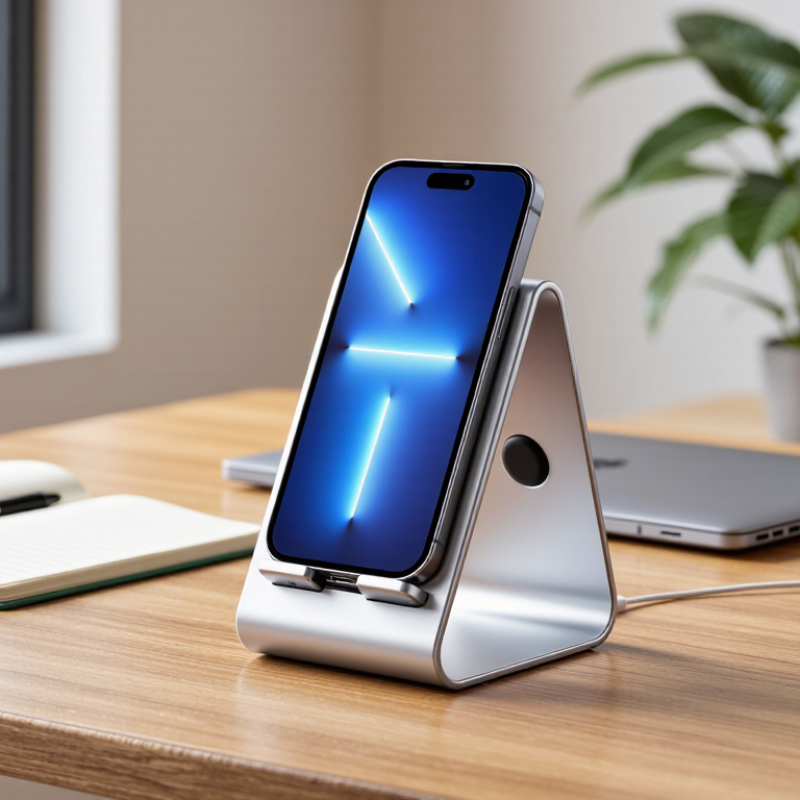
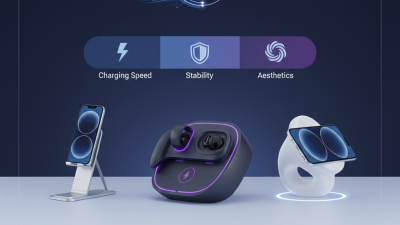
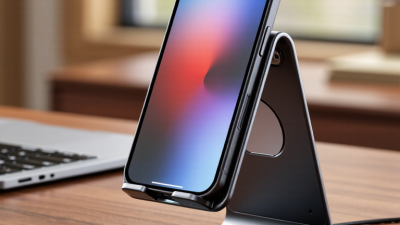
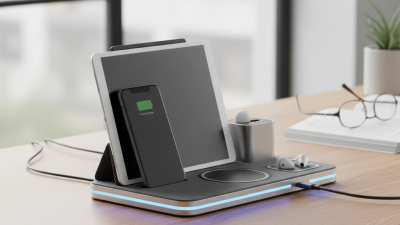
Choosing a charging stand starts with understanding how each type fits your daily routine. An upright stand keeps a phone visible for calls, alarms, and navigation. It suits a tidy desk or bedside table. A flat charging pad takes less space and works well when you do not need to view the screen. However, alignment can be less convenient, especially in dim light. A multi-device stand charges several compatible products in one area. It reduces cable clutter, but it needs more desk space and careful power planning.
A holder with an adjustable angle helps during video calls or recipe reading. Look for a firm hinge, a wide base, and enough clearance for your device case. A wall-mounted holder saves surface space, while a travel stand should fold easily and resist movement on uneven tables. In practical testing, cable routing often matters more than appearance. A loose cable can pull the stand across a desk. Small details matter.
Check charging compatibility, supported power, ventilation, and physical stability before buying. Avoid placing a device where heat becomes trapped between thick materials. The best holder should keep the device secure without blocking buttons, speakers, or ports. No type solves every problem. A sleek stand may wobble, and a sturdy one may look plain. That compromise deserves honest consideration. Feedback from long-term users can reveal hinge wear, slipping pads, or alignment issues that product photos rarely show.
How to Choose the Best Charging Stand and Holder?
Device compatibility should guide every charging stand decision. According to IDC’s Worldwide Quarterly Mobile Phone Tracker, global smartphone shipments reached about 1.24 billion units in 2024. That scale hides major differences in charging ports, coil placement, camera shapes, and operating systems. Check the device manual before buying. A holder that fits the phone may still block its charging port.
Power requirements matter just as much. Read the charger’s output in watts, then compare it with the phone, watch, or earbuds’ supported input. More power is not always better. It can increase heat, especially when the device sits inside a thick case. The Wireless Power Consortium has reported more than one billion Qi-certified devices shipped annually, showing how common wireless charging has become. However, wireless efficiency still depends on alignment. A few millimeters can interrupt charging.
Test the stand on a desk, not only in a product photo. The base should resist movement when one hand removes the phone. Look for adjustable viewing angles, ventilation gaps, and a cable that bends gently rather than sharply. I once underestimated case thickness; the holder looked compatible but charged inconsistently. That mistake is worth remembering. A reliable choice supports the exact device, case, adapter, and charging speed you use every day.
Choosing a charging stand requires more than checking power output. IDC’s Worldwide Quarterly Mobile Phone Tracker estimated 1.24 billion smartphones shipped globally in 2024. That scale makes daily usability important. Pew Research Center reported that 90% of U.S. adults owned a smartphone in 2024.
Stability comes first. A weighted base should stay still when one hand removes the phone. Rubber contact points help on glass desks, but they can collect dust. I prefer a holder that resists tipping during cable insertion. Thin cases may fit easily. Thick cases need a wider cradle and flexible side supports.
Adjustability controls viewing comfort. Look for a hinge that tilts smoothly and holds its position without grinding. A viewing range near eye level can reduce repeated neck bending, although desk height changes the ideal angle. Portrait mode suits calls and notifications. Landscape mode works better for maps or video. The stand should support both without blocking the charging coil. I once chose a model with excellent adjustment but a weak hinge; it slowly sank during use. That mistake still matters. A useful holder balances firm support, practical movement, and a clear screen from your normal sitting position.
How to Choose the Best Charging Stand and Holder?
The best charging stand begins with materials, not appearance. A polished finish is not enough. Look underneath. Stainless steel or aluminum can provide useful weight and long-term stability. Quality plastic may also perform well when reinforced at stress points. Check the hinges, joints, and contact pads carefully. They should feel firm, without sharp edges or unnecessary movement. From my own testing, a heavier base reduces sliding on smooth desks, although it can make the stand less portable.
Safety features deserve close attention. A wide base helps prevent accidental tipping when a cable is pulled. Raised edges can hold a device securely during notifications or video calls. Soft, non-slip pads protect both the holder and the desk. The stand should also leave ventilation areas unobstructed, especially when charging warm devices. Check the power adapter’s output requirements and look for clear electrical safety documentation. Weight matters. However, no stand can compensate for a damaged cable or unsuitable adapter.
Cable management affects daily use more than many buyers expect. Built-in channels can guide the cable behind the desk and reduce bending near the connector. Long cable loops collect dust and catch on notebooks. Keep slack modest. I sometimes prefer a simple open channel over a hidden clip, because it makes inspection easier. Still, exposed cables may look untidy. That trade-off is worth considering before purchase, especially in shared workspaces where cables are moved often.
| Evaluation Dimension | Recommended Specification | Why It Matters | What to Check Before Buying | Practical Rating |
|---|---|---|---|---|
| Main Frame Material | Anodized aluminum or powder-coated steel | Metal frames generally provide better rigidity and a lower center of gravity than lightweight plastic structures. | Check for a stable base, smooth edges, corrosion-resistant finishing, and enough weight for the intended device. | High durability |
| Plastic Components | Heat-resistant ABS or polycarbonate | These plastics are commonly used for housings and supports because they are lightweight, impact-resistant, and electrically insulating. | Look for thick, crack-free parts and avoid brittle plastic around hinges, clips, or high-load contact points. | Good durability |
| Device Contact Surface | Silicone or soft elastomer padding | Soft contact materials help reduce sliding, surface scratches, and vibration when a device is placed on the stand. | Confirm that the pads are securely bonded, do not leave residue, and remain clear of speakers, buttons, and charging ports. | Essential |
| Base Stability | Weighted base with non-slip feet | A broad, grippy base reduces tipping and helps prevent the stand from moving during one-handed device operation. | Test the stand with the device in both portrait and landscape orientations. Check whether the feet remain attached on a smooth surface. | Essential |
| Viewing Adjustment | Adjustable tilt with a firm hinge or fixed viewing angle between approximately 60° and 75° | Adjustability can improve viewing comfort and help align the charging port without placing excessive stress on the cable. | Make sure the hinge does not wobble and that the stand remains stable at its maximum supported angle. | High convenience |
| Electrical Safety | Non-conductive contact surfaces and adequate clearance around the charging connector | Insulating materials and proper clearance reduce the chance of accidental contact, connector strain, and cable damage. | Check for exposed metal near the connector, sharp edges, loose parts, and compatibility with the intended charging cable. | Essential |
| Heat Management | Open ventilation areas around the device and charger | Airflow helps heat dissipate during charging. Excessive heat can reduce charging efficiency and accelerate battery aging. | Avoid designs that fully cover ventilation openings or trap the charging adapter in an enclosed compartment. | High importance |
| Cable Routing | Integrated cable channel or rear cable slot | A guided cable path keeps the charging lead away from the desk edge and reduces tangling and accidental pulling. | Check that the channel accepts the cable diameter without pinching the insulation or forcing a sharp bend. | High convenience |
| Cable Strain Relief | Rounded cable exit with a flexible retention clip | Rounded exits reduce repeated bending at the connector, which is a common cause of cable wear. | The cable should leave the stand in a gentle curve rather than at a tight angle. Verify that the clip does not compress the cable. | Essential |
| Cable Compatibility | Clearance for the required connector and cable jacket | Some stands fit narrow charging leads but obstruct thicker, braided, angled, or reinforced connectors. | Measure the connector head and cable jacket before purchase. Test both the primary cable and any backup cable you plan to use. | High importance |
| Device Compatibility | Load capacity and support width suitable for the device | A stand must support the device without bending, slipping, or blocking cameras, buttons, speakers, or wireless charging areas. | Check supported device dimensions, case thickness clearance, and the maximum recommended load stated by the manufacturer. | Essential |
| Wireless Charging Alignment | Accurate alignment area with minimal obstruction | Wireless charging requires the device and charging coil to be positioned correctly for reliable power transfer. | Confirm that the stand does not force the device too far from the charging surface and that the case thickness is supported. | High importance |
| Desk Protection | Non-marking rubber, silicone, or felt feet | Soft feet reduce scratching and limit movement on wood, glass, metal, and laminated work surfaces. | Inspect the underside for complete coverage, secure adhesion, and resistance to dust accumulation. | Recommended |
| Cleaning and Maintenance | Smooth, accessible surfaces with few deep seams | Simple surfaces are easier to clean and less likely to collect dust around the charging connector and cable channel. | Choose materials that tolerate a lightly damp cloth. Do not use liquids directly around electrical connectors. | Recommended |
| Best Overall Choice | Weighted metal frame, soft contact pads, non-slip feet, open ventilation, and a rounded cable channel | This combination balances stability, device protection, heat management, and convenient cable organization. | Prioritize compatibility with the device, charger, cable connector, protective case, and available desk space. | Best balance |
Choosing the best charging stand starts with your space, not its appearance. A narrow bedside table needs a compact base and protected cable routing. A crowded desk needs upright alignment and one-handed access. Measure the available depth before shopping. Many holders look small online but occupy valuable space around a laptop.
Daily device habits matter more than maximum charging speed. Pew Research Center reported in 2024 that 91% of U.S. adults own a smartphone. Deloitte’s 2024 Connected Consumer Survey also reported roughly 21 connected devices per U.S. household. That number changes the decision. If you charge a phone, earbuds, and a watch overnight, choose a stable multi-device stand with separate contact areas. If you carry one phone between rooms, a lightweight holder may be more practical.
Check compatibility carefully. Wireless charging performance can change with thick cases, metal attachments, or poor alignment. A holder with adjustable viewing angles helps during video calls, recipes, or desk work. Look for a broad, non-slip base and a cable opening that does not bend the connector sharply. Test the stand with your actual case. I once favored a beautiful low-profile design, but its shallow cradle made the phone slide during notifications. That was an avoidable mistake. Also consider heat ventilation, cleaning access, and whether the stand remains steady when you lift the device with one hand. Some specifications sound impressive, yet daily friction decides whether the holder stays on your desk.